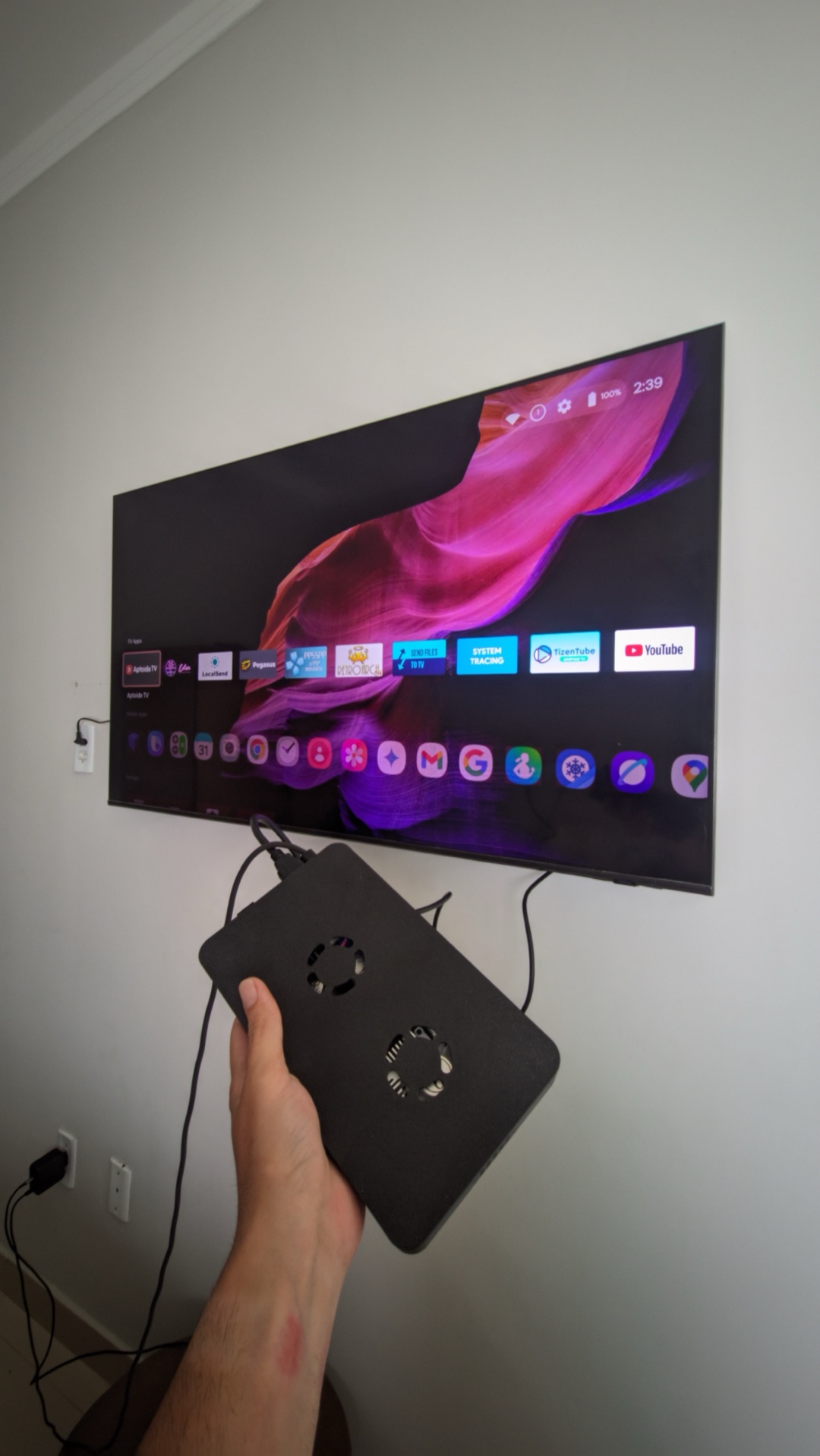
For a long time I wanted a device for my TV that was more capable than the ordinary TV boxes on the market. The available options become obsolete much faster than I'd like. That's when, browsing Goofish — a Chinese second-hand marketplace — I saw an interesting idea. What if I used a screenless phone, with a cooler, HDMI and 3 USB ports, powered over USB-C, as my media center?
Why this specific model?
Probably because repairing the screen doesn't pay off — maybe it's the folding-screen technology, I honestly don't know. But I was curious enough to spend days talking to the seller, who was very patient in answering all my questions.
How mine was built
The device I imported came already adapted: they took the Z Flip 5 out of its original body and installed it in a 3D-printed case, together with a cooler to keep temperatures in check during continuous use. Plugged into the TV, it runs One UI 7 on a big screen — the same Samsung interface I already knew, now in the living room. To complete the setup, what really makes the difference is the remote: there's no other way to watch TV.
Is it worth it?
For what I paid, I have absolutely nothing to complain about. It's fast, runs the apps I use, I fire up an emulator every now and then, streaming apps play without a stutter, and Samsung's interface — with the right settings — actually worked well for the TV.
For the spec-minded: it scores nearly 1,500,000 points on the AnTuTu benchmark. It's a nice feeling, seeing the power of the Snapdragon 8 Gen 2 on the living-room TV.
If your Galaxy still has a working screen, there's a built-in way to put it on the TV without any of this — it's covered in the Samsung DeX complete guide.